Skip to Content
Kodecoon AI
  • Home
  • Cou​rses
  • AI Sandbox
  • 0

  • Sign in
  • Contact Us
Kodecoon AI
  • 0
    • Home
    • Cou​rses
    • AI Sandbox

  • Sign in
  • Contact Us

Courses

  • Type
    Bootcamp Workshops Supporting Module
  • Curriculum
    Study Smart with AI AI Content Creation Vibecoding
  • Level
    Advanced Intermediate Basic
  • Subject
    🛠️Tools / applications 🧠Theory / fundamentals
  • Tools
    Canva NotebookLM Perplexity OpenAI Suno Midjourney Notion ElevenLabs

All Courses

Introduction to AI Concepts

Introduction to AI Concepts

Embark on an exciting journey to discover artificial intelligence! This course introduces you to the fundamentals of AI, exploring how it works, basic concepts, and essential vocabulary. Through relatable examples, you’ll learn how AI thinks, acts, and plays a role in everyday life. By the end, you’ll be ready to spot AI in action and understand its core principles.

Learning Objectives:

  1. Define artificial intelligence and explain its basic concepts.
  2. Understand how AI mimics human thinking and decision-making.
  3. Learn essential AI vocabulary to discuss and explore related topics.
  4. Identify everyday examples of AI applications in the real world.


Supporting Module 🧠Theory / fundamentals
18m 19 steps
Creating a Corpus for AI

Creating a Corpus for AI

Explore how to create a structured collection of information—called a corpus—that AI can use to generate summaries and helpful insights. Students will learn how organizing their notes and research can make AI tools smarter and studying easier.

Learning Objectives:

  1. Understand what a corpus is and how it helps AI tools like NotebookLM organize and summarize information.
  2. Learn how to save and structure research notes for easy use and quick access in AI tools.
  3. Practice using AI to find patterns and key ideas in your data to create better study materials and reports.

Study Smart with AI Supporting Module 🧠Theory / fundamentals
12m 20 steps
Basics of Report Writing with AI

Basics of Report Writing with AI

How to write clear and well-organized reports with the help of AI tools. Students will learn the key parts of a report and how to turn their research into professional writing using prompt techniques and editing tools.

Learning Objectives:

  1. Identify the essential parts of a report: Title, Introduction, Main Body, Conclusion, and References.
  2. Use AI tools like NotebookLM and Notion AI to turn notes into complete paragraphs and organized reports.
  3. Practice editing and refining reports with AI to improve clarity, structure, and writing style.

Study Smart with AI Supporting Module 🧠Theory / fundamentals
5m 20 steps
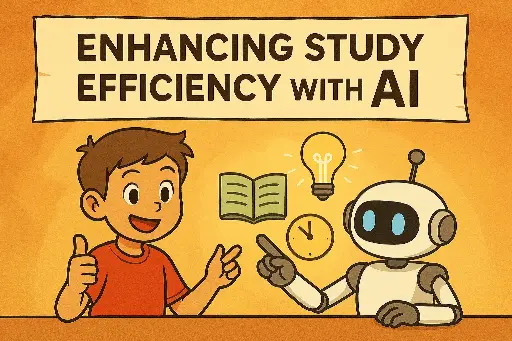
Enhancing Study Efficiency with AI

Enhancing Study Efficiency with AI

Discover how AI can make studying easier, faster, and more personalized. From summarizing notes to visualizing tough topics, students will explore AI tools that simplify learning and help them study smarter, not harder.

Learning Objectives:

  1. Recognize common study challenges and understand how AI tools can solve them.
  2. Use AI to organize, summarize, and personalize study materials for better understanding.
  3. Apply AI-powered techniques to break down complex topics and visualize information clearly.

Study Smart with AI Supporting Module 🧠Theory / fundamentals
18 steps
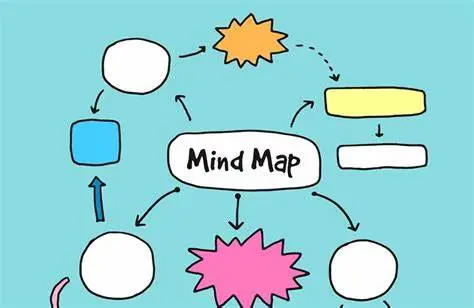
What are Mind Maps?

What are Mind Maps?

Learn how to use mind maps to simplify big ideas and show connections between topics. With the help of AI, they’ll create colorful, easy-to-follow diagrams that boost memory and creativity.

Learning Objectives:

  1. Understand the structure and purpose of mind maps, including central ideas, branches, and connections.
  2. Explore the benefits of using mind maps for studying, planning, and brainstorming.
  3. Practice creating clear, engaging mind maps using keywords, visuals, and organized layouts.

Study Smart with AI Supporting Module 🧠Theory / fundamentals
7m 21 steps
Introduction to MindMap AI

Introduction to MindMap AI

Introduce students to MindMap AI, a powerful tool that helps turn thoughts into clear, visual mind maps. Students will learn how to chat with AI, organize ideas, and customize their maps to fit their learning style.

Learning Objectives:

  1. Learn how to use MindMap AI to create and organize mind maps from research notes.
  2. Practice editing, adding, and arranging nodes to make personalized and meaningful diagrams.
  3. Explore features like tagging, icons, and AI expand to enhance the clarity and usefulness of mind maps.

Study Smart with AI Supporting Module 🛠️Tools / applications
3m 19 steps
Introduction to Jungle

Introduction to Jungle

Introduction to Jungle, an AI-powered study tool that turns their notes into interactive flashcards and practice questions. Students will learn how to study more effectively using personalized quizzes, feedback, and spaced repetition.

Learning Objectives:

  1. Understand how Jungle transforms study materials into flashcards and questions using AI.
  2. Learn the benefits of spaced repetition and how it helps improve memory.
  3. Practice using Jungle to upload documents, review flashcards, and track learning progress.

Study Smart with AI Supporting Module 🛠️Tools / applications
5m 21 steps
Building Topical GPTs

Building Topical GPTs

Learn how to create your own AI chatbot focused on a specific topic like science, history, or art. This course teaches how to train a GPT with custom data to give smart, focused answers for learning and research.

Learning Objectives:

  1. Understand what a topical GPT is and how it works using focused information.
  2. Learn how to fine-tune a GPT using personal or school subject materials.
  3. Create and test your own topical GPT to solve subject-specific problems or questions.

Study Smart with AI Supporting Module 🛠️Tools / applications
15 steps
Fact-checking and Verification

Fact-checking and Verification

Learn how to double-check information from AI tools and online sources. This course shows students how to spot errors, verify facts, and build trustworthy research and presentations.

Learning Objectives:

  1. Understand why fact-checking is important when using AI tools and doing research.
  2. Learn how to verify information using reliable sources like government sites and academic journals.
  3. Practice checking authors, dates, and websites to make sure your facts are accurate and up to date.

Study Smart with AI Supporting Module 🧠Theory / fundamentals
10m 19 steps
Ethics and Limitations of AI Education

Ethics and Limitations of AI Education

Explore how to use AI tools responsibly in education. This course helps you understand fairness, privacy, and the importance of keeping human thinking in the learning process.

Learning Objectives:

  1. Understand why ethics matter when using AI in education, including fairness and data privacy.
  2. Learn the limitations of AI and why human thinking and oversight are still important.
  3. Practice using AI as a helpful guide while making sure your work is safe, fair, and your own.

Study Smart with AI Supporting Module 🧠Theory / fundamentals
14m 19 steps
Creating Visual Presentations

Creating Visual Presentations

Discover how to turn ideas into engaging presentations using visuals, structure, and design. This course teaches how to build slides that are clear, creative, and easy to remember.

Learning Objectives:

  1. Understand why visuals help people learn and remember information better.
  2. Learn the key parts of a strong presentation, like title slides, section headers, and summaries.
  3. Practice creating a presentation using design tools that highlight main points and keep the audience interested.

Study Smart with AI Supporting Module 🛠️Tools / applications
5m 18 steps
Introduction to ElevenLabs

Introduction to ElevenLabs

Step into the world of AI voice technology with ElevenLabs! In this course, students will learn how to create realistic voiceovers for presentations using deep learning tools and customize voices to match different emotions, tones, and styles.

Learning Objectives:

  1. Understand how ElevenLabs uses deep learning to create natural-sounding voices from text.

  2. Explore the main features of ElevenLabs, including voice selection, stability, similarity, and style exaggeration.

  3. Create and customize your own AI voiceovers and practice using them in presentations or creative projects.

Study Smart with AI Supporting Module 🛠️Tools / applications ElevenLabs
7m 19 steps
  • 1
  • 2
  • 3
  • 4

Overview

No leaderboard currently :(

Filters

Clear Filters
Follow us

10 Eunos Road 8 03-01/03, Singpost Centre, Centre Lobby, 408600


  • +65 8950 3022
  • learn@kodecoon.ai
Copyright © Kodecoon
Powered by Odoo - The #1 Open Source eCommerce